Brushes show their strokes
Every pen and brush shows a little stroke, so you can tell your G-pen from your Turnip pen at a glance.

sugusearch adds a search bar to CSP. Find any tool, brush, menu or layer. Press Ctrl F, type a few letters, done. Press ⌘ F, type a few letters, done.
Also on Mac (beta)Also on Windows
Windows 10 & 11 · macOS 11+ · CSP Pro & EX 1.13+
No more digging through folders, lists and menus.
Press Ctrl FPress ⌘ F and type what you want.
The more you use sugusearch, the better it knows you.
The things you pick most show up first.
No trained AI, just plain ol' math.
Can't remember what CSP calls it? Tag it with a word of your own, then type that word.
Working on a few comics at once? Tag the pens, balloons and brushes each one uses. Type the project's name with what you need, and only those show up.
Rigging a Live2D model with hundreds of layers? Type a few letters of a layer or a folder, and sugusearch selects it for you in CSP.
No more scrolling up and down the Layer palette to find Eyelash upper L.
Every pen and brush shows a little stroke, so you can tell your G-pen from your Turnip pen at a glance.
Commands show the keys they have in your CSP, so you pick up a few shortcuts along the way.
Play an auto action or find a material the same way, with a few letters of its name.
It speaks your CSP's language, matches its look, and works like it's part of CSP.
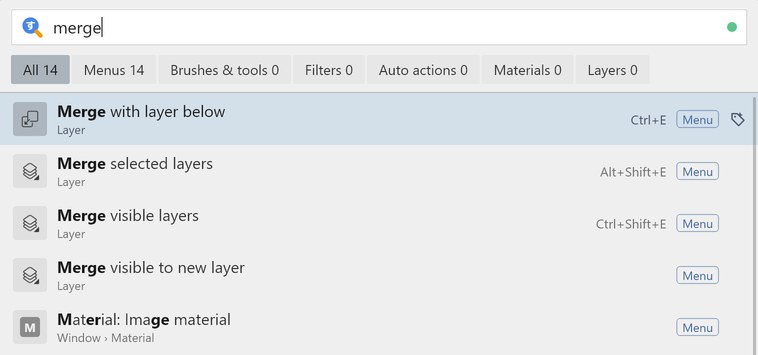
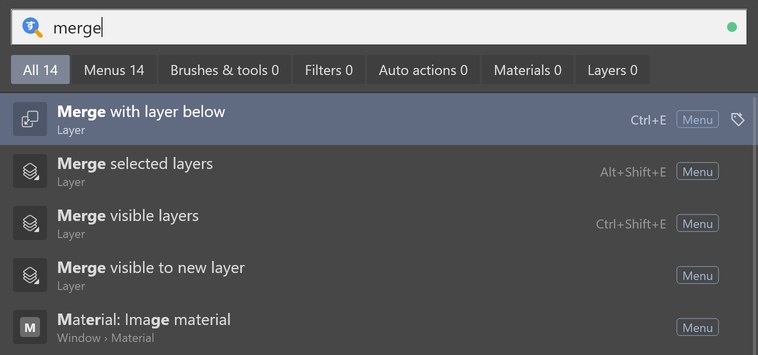
One license covers your desktop and your laptop. Mix Mac and Windows however you like.
Your tags and favorites are kept on your computer. Save them to a file any time and bring them to a new one.
Try everything free for 14 days, no card needed. Changed your mind after buying? Ask for a refund within 60 days and get all your money back.
Windows 10 & 11 · macOS 11+ · CSP Pro & EX 1.13+
The Mac version is still a beta. Try it free first and see how it runs on your Mac.
Already bought it?
Also on Mac (beta)Also on Windows
Secure checkout by Paddle, our reseller. Prices are in your currency, and the checkout shows the final amount with any local tax.
sugusearch works with Clip Studio Paint Pro and EX, version 1.13 or later, on Windows 10 and 11 and on macOS 11 or later. The Mac version is a beta for now, and fixes keep coming as updates.
Not sure about yours? The free trial is the easiest way to find out.
No to both. There's no AI in sugusearch, and it never looks at your canvas. It reads the names of CSP's menus, brushes, materials and layers so it can find them, and it remembers what you pick, on your computer.
Not at all. sugusearch speaks the same language as your CSP, in all 10 of the languages CSP comes in. English names work too, so in a Japanese CSP, typing "outline sel" finds 選択範囲をフチ取り.
Yes. We're a small, independent team, and sugusearch isn't code-signed yet: the certificate that makes this warning go away costs more than we can spend right now. Windows shows it for any new app it doesn't know yet. To install, click More info, then Run anyway.
Only download sugusearch from this site. If your antivirus flags it, write to us at hello@sugusearch.com and we'll report it as a false alarm.
If Windows blocks it with no Run anyway button, Smart App Control is on. It can't make an exception for one app, so sugusearch can't run while it's on. You can turn it off in Windows Security, under App & browser control.
That's why we ask you to try it free before buying: if the trial runs on your PC, you're all set.
sugusearch asks for a license key to keep going. The trial never asks for a card, so you'll never be charged by surprise.
Yes. sugusearch and iromote are made by the same people and run side by side in CSP, so you can use both at once.
Two small things: a license check, and a short problem report if something breaks, so we can fix it. You can turn the reports off in sugusearch's settings. Your art, your tags and what you search for stay on your computer. There's more in our privacy policy.
Yes. One license covers 3 computers, Mac or Windows. On the old computer, click Deactivate in sugusearch's settings. Then activate on the new one.
Old computer gone, or all 3 taken? Click Manage devices in sugusearch's settings and free up any of them. You can also here with your email and key.
To bring your tags along, save them to a file in sugusearch's settings and open that file on the new computer.
Ask for a refund within 60 days of buying and you'll get all your money back, no questions asked. Enter your email and license key on our refund page, or write to us at hello@sugusearch.com.
Nothing stops. You keep every version that came out during your year, forever. If you'd like the newer ones, renew your updates for $13.99 a year, whenever you like.